agentic_robotics connects a vision-language model to ToyBlocks. The model sees the front camera and can only act through MCP tools, one per skill. It gets no success signal; it has to decide from the images when it's done, or when the task can't be done.
The model works by pointing: most tools take a pixel in the camera image, and the skill acts on the block there. A small, robot-agnostic MCP host and an OpenAI-compatible model client (OpenRouter by default) run the loop, and ToyBlocks is connected through an adapter. The tools are:
Get Image Observation, Get Zoomed-In Image Observation, Pick Up Block, Stack on Block, Place on Table, Rotate Block, Flip Block, Return Arm to Home, Open Gripper, Close Gripper.
Every run saves its video, the full transcript, the config, and a summary that scores the final scene against the task's PDDL goal and records the tool calls and model cost.
Docs: agentic robotics guide · Code: allenai/agentic_robotics
The tools can be backed by two kinds of skills:
vecgen extra.maniflow extra and a checkpoint. ManiFlow skillsThere are a few ways to run and watch episodes in the browser:
menu: pick tasks one after another and interject while the model works.page: a single model episode with a chat and interjection page.human: you call the skills yourself, the same way the model would. Useful for checking that a new task is solvable.portal: browse finished runs with their videos, transcripts and scores.
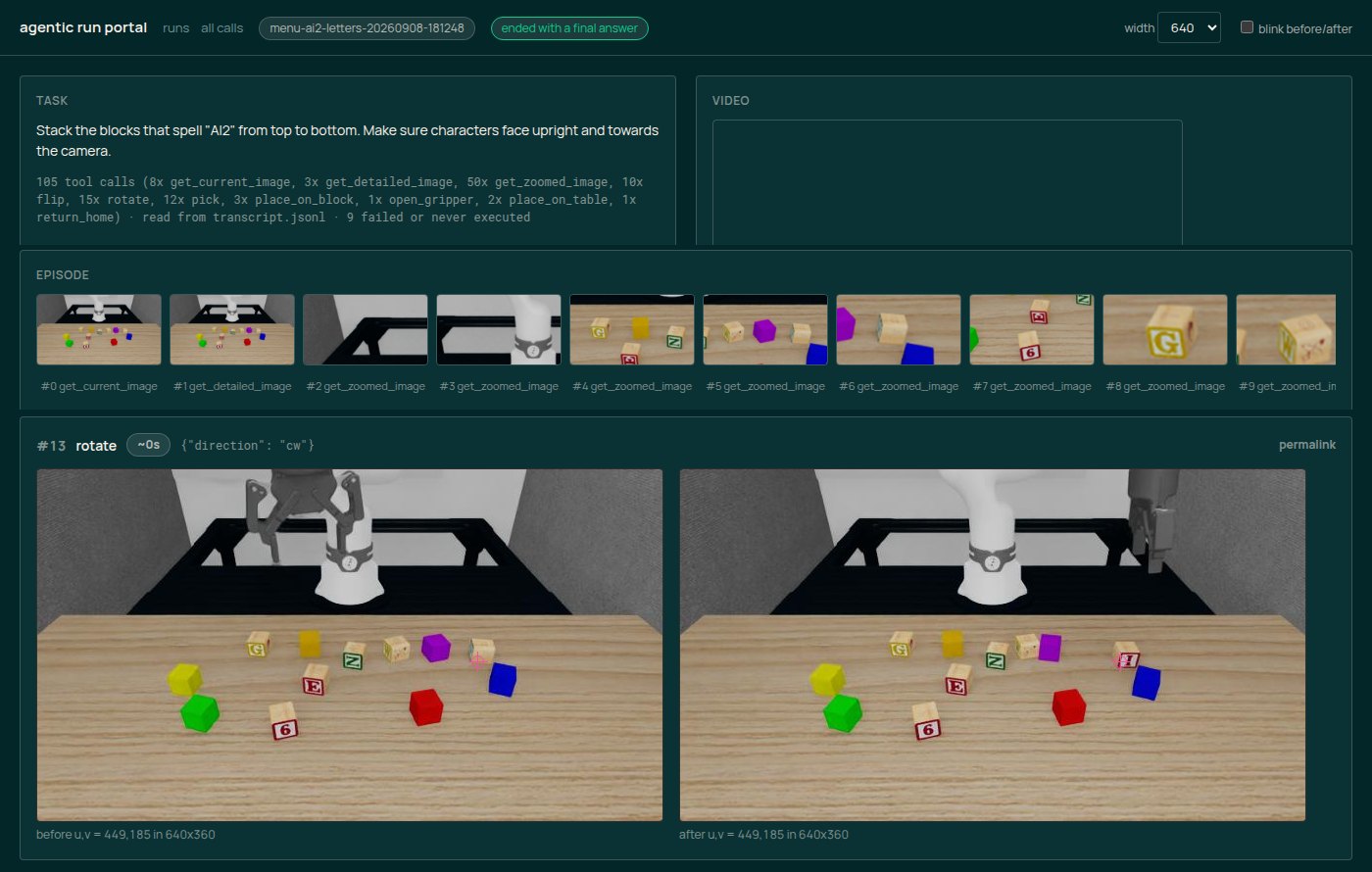
Docs: web UI and portal
Tasks are the same PDDL problems the data generation pipeline uses, so any ToyBlocks task generator works here. Write or generate the PDDL, register a TaskConfig with the prompt and a tool-call budget, build it with generate-env, and try it yourself in human before handing it to a model.
You need ToyBlocks installed with the vecgen and agentic extras and your own OpenRouter key. The guide covers setup, building a task's environments, and running an episode headless or in the web UI.
Experiments are TOML files that pin the backend, model, checkpoint, camera, seed and skill settings, so runs can be repeated. Results so far are on the Experiments page.
Docs: setup · run an episode · install · experiments