Some notes on how to setup the project (for development purposes)
Install dependencies
The most up-to-date setup uses the uv package manger, but conda should work
file as well. Unfortunately the bpy package (used for generating houses) is no
longer available in PyPi for the Python version that we currently target (3.10),
so we have to manually install it as first step, like this:
# If using conda as package manager, just use plain `pip`
pip install bpy==3.6.0 --extra-index-url https://download.blender.org/pypi/
# If using uv as package manager, use `uv pip` instead
uv pip install bpy==3.6.0 --extra-index-url https://download.blender.org/pypi/
After this, we can install all other dependencies along with the molmo_spaces
package using the provided pyproject.toml, like this:
# If using conda as package manager, just use plain `pip`
pip install -e .
# If using uv as package manager, use `uv pip` instead
uv pip install -e .
Note: For development purposes, install the extra dev packages and the git hooks together -- the hooks are what keep your commits in step with CI, and installing them is the same one-time step as installing the tools they run:
# If using conda as package manager, just use plain `pip`
pip install -e . --group dev && pre-commit install
# If using uv as package manager, use `uv pip` instead
uv pip install -e . --group dev && uv run pre-commit install
Configure development setup
The command above already installed the hooks. If you cloned before adding them, or you are not sure whether they are in place, it is safe to run again -- it is idempotent:
Git cannot install hooks for you when you clone a repository, by design: hooks are executable code, and running them on clone would mean any repository could run anything on your machine. So one explicit step is unavoidable. What you can do is make it automatic for every repository you clone from now on, by pointing git at a template directory that pre-commit has prepared:
To check what CI will say before you push -- CI runs every hook over every file, not just the staged ones:
Worth knowing which hooks those are. The CI job is called ruff-checks (the name
is pinned by branch protection on main) but it runs the whole config, so it can
fail on a missing newline at the end of a file while ruff check is perfectly
happy. Running ruff alone will not reproduce it.
After this, you can run pre-commit run on your local changes that are staged,
it should show something like this:
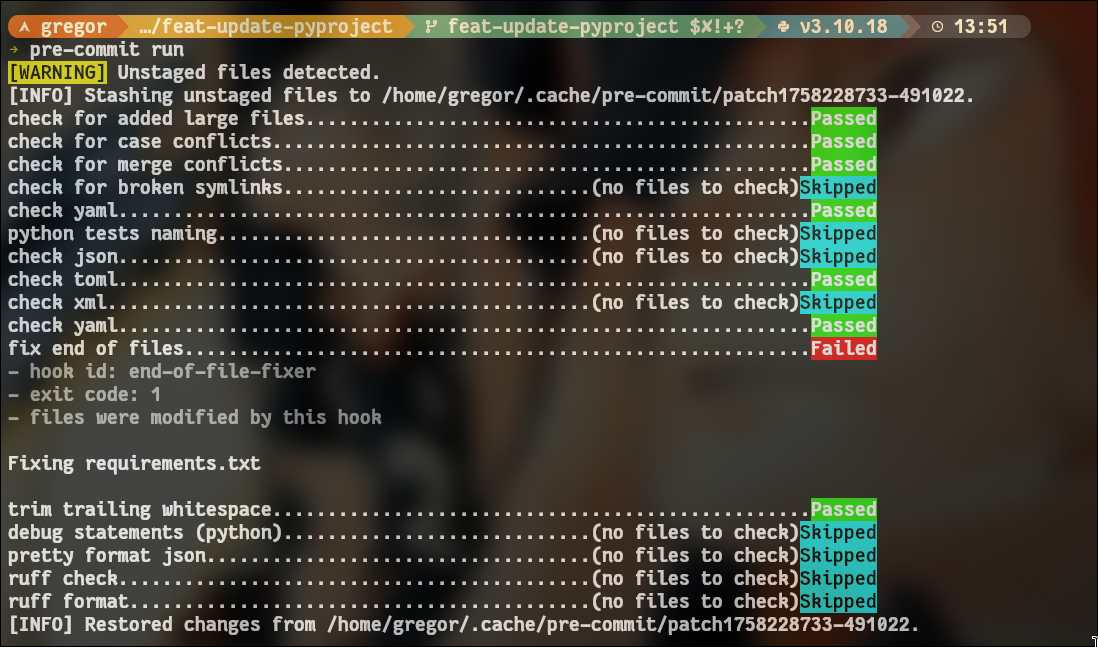
In this case the hooks catched an issue with the line ending of the requirements.txt
file, it complains that files should have an empty line at the end (we could disable
this hook if it's too annoying :sweat_smile:). Note that no Python files were
staged, so the hooks for ruff and mypy didn't run. For more info on how
to use pre-commit check this video, and the docs.
Note: In very extreme cases, you might need to skip running the hooks, for
example, if the checks are not configured correctly and running on all files (for
now it should only run on staged files only). To skip the checks, just run your
commit with the --no-verify flag. Just keep in mind that the CI/CD pipeline
will catch these issues in the future once enabled, currently it's using black
to check only for formatting, but in the next PR will change this to use ruff
for formating and linting, and mypy for type checking.
Updating the linting rules
If you want to enable/disable a linting rule for ruff, you can do so by modifying
the corresponding section on the pyproject.toml file. For example, to enable a whole
set of linting checks, you could change this section:
[tool.ruff.lint]
select = [
    # docstring
    "D",
    # pycodestyle
    "E",
    # Pyflakes
    "F",
    # pyupgrade
    "UP",
    # flake8-bugbear
    "B",
    # flake8-simplify
    "SIM",
    # isort
    "I",
    # PEP8
    "W",
    # flake8-annotations
    "ANN",
]
The rules identifiers can be found here, so you can add extra rules if you
want :smiley:. To disable specific linting checks from ruff, you can add the
corresponding rule id to the ignore list in the same section of the pyproject.toml
file, like this (add to the ignore list of rule ids):
[tool.ruff.lint]
select = [
    # ...
]
ignore = [
    "C408", # don't complain about usage of dict() calls
    "C901", # don't complain about function complexity
    "E501", # don't complain about line-length (handled by line-length setting)
    "B006", # defaults shouldn't be mutable
    "UP015", # redundant mode arguments in open should be fine for now
    "SIM117", # allow nested with statements for now
    "SIM102", # don't be picky about nested if statements
    "SIM114", # don't be picky about merging if branches using or
]
You can get the id of the rule you want to disable by checking on the warning
given by your IDE. If you're using vscode, just hover over the warning message
and you can grab the rule ID for that lint check.
Setting up IDE (e.g. vscode)
For formatting and linting you might want to install the ruff vscode extension:
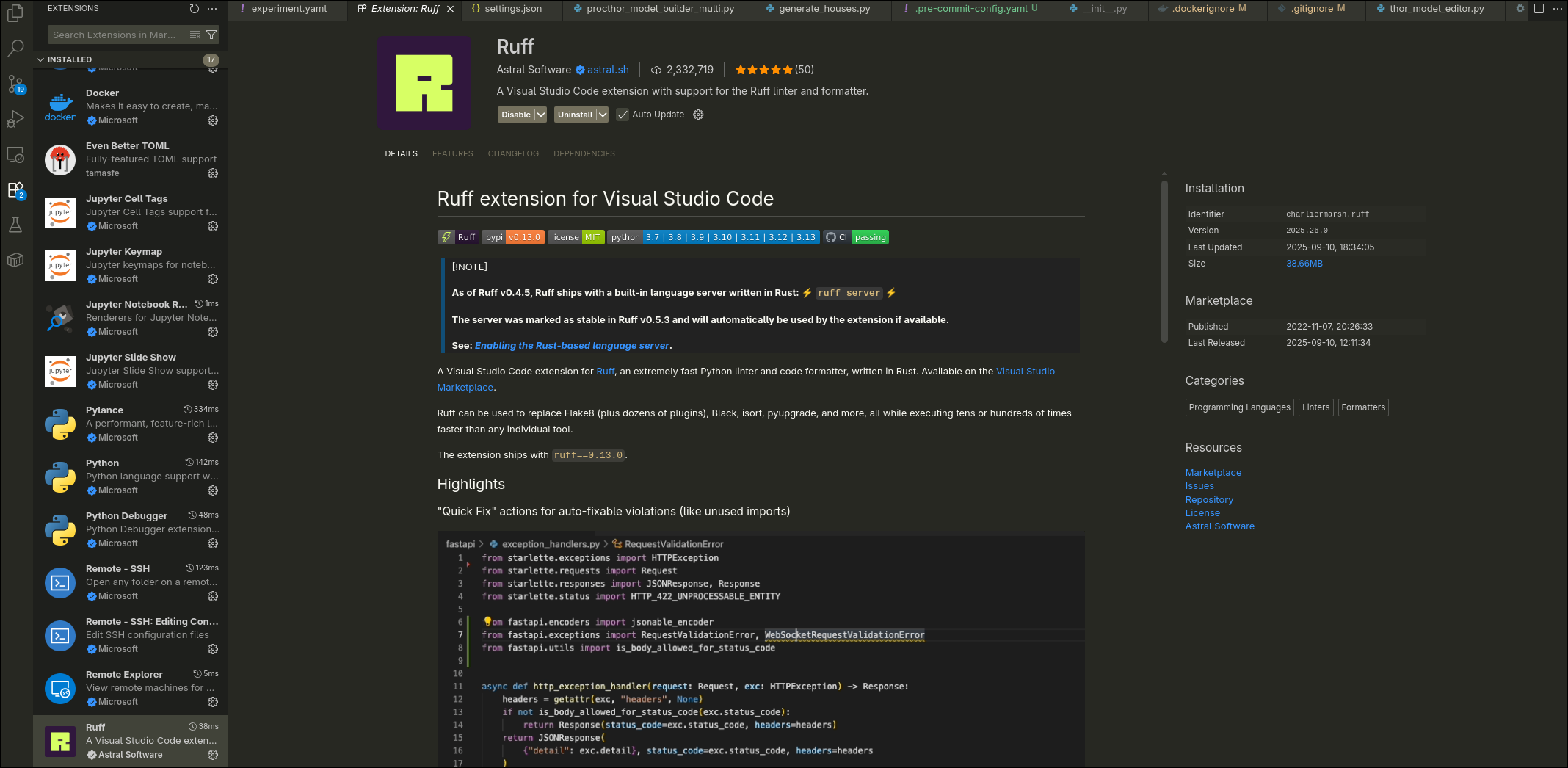
To set it up, just add this to your user settings (change formatOnSave to your
desired setting):